Easy JavaScript Picture Selector Code
By Stephen Bucaro
Suppose you want to create a digital photo album to display a group of pictures,
but you don't want the page to be too large. One solution would be to display only
one full size picture, and the other pictures as small thumbnail images. When the
user clicks on one of the thumbnail images, the full size picture is replaced by a
full size version of the thumbnail that they clicked on.
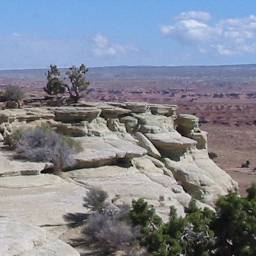
(In case you're wondering - it's southern Utah)
To make this happen you need the incredibly small JavaScript function shown below.
Just paste this code in the HEAD section of your Web page.
<script language="JavaScript">
function selectPicture(name)
{
   document.images.bigPicture.src = name;
}
</script>
The argument "name" passed to the function is the name attribute you give to the
html img tag for the full size picture, as shown below.
<img name="bigPicture" src="scene1.jpg">
In the onClick event of each thumbnail image tag, call the selectPicture function,
passing it the filename of the respective fullsize picture, as shown below.
<img onClick="selectPicture('scene2.jpg')"
src="thumb2.jpg">
That's all there is to it! But let's consider four minor items.
Image Size - When ever you use image replacement, you should keep all the images
the same size. If you don't, your Web page may grow and shrink as each picture is
replaced, messing up the layout of your page.
You can always make the images DISPLAY all the same size by adding height and width
attributes to the image tag. But then if an image is smaller, the browser will automatically
expand the image, making it appear blurry.
If an image is larger than what is specified in the height and width attributes,
the browser will automatically shrink the image. In fact, you could let the browser
shrink the full size image files to create the thumbnail images. But the Web page
will take longer to load the large image files.
All the full size images should be the same dimensions. You should also always
add height and width attributes to the image tag. If you don't, the browser will take
longer to lay out the page because it doesn't know the image sizes until after the
images are loaded. Below is an image tag with height and width attributes.
<img name="bigPicture" width="256" height="256"
src="scene1.jpg">
| 

 About BTH
 User Agreement
 Privacy
 Site Map
 Contact
 News Feeds




 RSS Feed
 Follow @Stephen Bucaro
 General Web Design


