
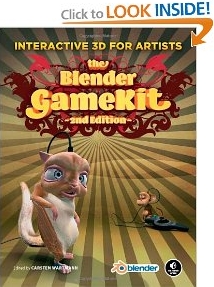
Blender is the first 3D package to integrate a game engine as well as tools for editing game-logic and creating interactive animation. The Blender GameKit, 2nd Edition is the official guide for 3D artists, animators, and game designers interested in exploring this part of Blender. This completely revised, full-color edition covers Blender 2.48, including all contributions from the Open Game Yo Frankie! project.
Ronald J. Harris says, "Of all the books on computer graphics and game programming I've read, this is my favorite. I'm not exactly sure why. One reason, though, is that this book impressed me as practical poetry - or do I mean practically poetic? - compared to most of the others. The book is targeted towards blender artists and to some extent uses that as an excuse to take a non-technical approach to the subject. Unfortunately this means that the book doesn't goes as deep into the subject as most readers would like. Fortunately it also means that the book doesn't go into dreadful detail on subjects that in the long run you are going to have to figure out on your own anyway.
"For such a short book, it covers a lot of material. Sometimes as I was reading it I felt like I was being cheated, that it wasn't even answering my most basic questions on the subject. Then I would myself pose a question on a topic that I felt hadn't been addressed and look into the book for an answer. Sure enough, in most cases it was there.
"Quite a variety of games are presented in the text and if you want to write your own in any of the genres presented you should be able to use the sample programs as a guide to realize your idea. Expect to do a bit or even a lot of reverse engineering from the examples provided on the disk before you can make use of the techniques presented. The book's text alone will not be enough as most of the games are not presented in complete tutorial format. More often the book's text will just highlight a technique or two from a game so that you will know where to look on the disk for the examples you will need to follow.
"The book omits anything significant on the ways of using character animation other than references to the fairly sophisticated blender open game project Yo! Frankie. Chapters in another book, Tony Mullen's Mastering Blender, fill some of the gaps in this area.
"Despite the word Kit in the title, the games are not really kits in the same sense as say the Aurora Expansion Toolkit was for Neverwinter Knights. You can modify the games if you want - Yo! Frankie in particular is quite open to additional levels - but in most cases the games serve more like open source software programs that you can cannibalize for parts to your own game.
"The book is inexpensive and fun and despite a few faults is still actually a pretty good introduction to creating games with blender. Recommended."
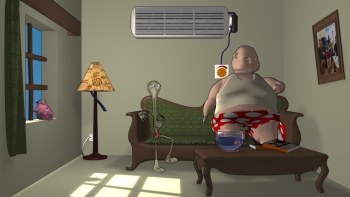
The Blender GameKit starts with an extensive section explaining the basic concepts of 3D design and offering a full introduction to the Blender interface. Through step-by-step tutorials, the book shows how to create models, add motion to them, and turn them into simple games. Experienced 3D artists will appreciate the more complex game demos, the character animation tutorials, the introduction to Python, a tutorial with the Frankie character, and the advanced reference section.
J. R. Cardona says, "Many people know that Blender is a free and open source 3D creation suite that has grown over the years to become one of the most powerful tools for 3D. What many people may not know is that Blender includes a game creation kit. You don't need to program to create games with Blender, just this book and some time playing with the CD that comes included with it.
"To create games, you just need to build your 3D objects with Blender, and then use the game engine of Blender to make your 3D game. This is done by clicks and pull-down menus, with no coding at all.
"The Blender Gamekit is a book published by "No starch press" and written by several authors. When you have the book in your hands, you can see the neat design of the cover and the quality of impression. It has lots of illustrations and reading it is like following a series of tutorials, where you see what you must do in every step.
"The way you should read it is just like you follow a tutorial: from the beginning to the end, following all the steps. That way you will soon be creating games with Blender. Of course, you can always go to Blender forums and wikis, to widen your knowledge.
"The CD contains lots of examples that are referenced in the book, and also the game "Yo Frankie!", a huge project of game based on the Blender game kit. You can copy all these games to your hard drive and alter them to learn how to do games, and create games based on them.
"The games in the CD are playable. Pay special attention to "Yo Frankie!" that was developed since 2008 by many people from the Blender community. In chapter 12, the book explains how many effects of this game are done, including things like dual-player split screen, physics, animations, and all kind of things that will show you how Blender has a real gaming engine.
"In chapter 9 the book even tells you the basics on doing network games, multiuser games with Blender and Python. This needs some code but the author of this chapter tells you how it works and what you must do, being the only part in the book that shows code.
"Other interesting chapter are, for example, chapter 10, where you are told how to create bones and animate your 3D meshes, and chapter 11, where you can see that with Blender you can not only create arcade games but also intelligence games in 3D like the memory game that illustrates this chapter.
"Chapter 13 is a reference to the Blender Game Engine, containing things like multi-texture materials, GLSL shaders, sensors for time, keyboard, mouse... This chapter is very extensive. You will appreciate it once you have mastered all the previous chapters.
" The Blender Gamekit is the book for you if you want to go beyond modeling and turn yourself or your team into game developers at no cost."
The CD contains several playable and editable Blender game demos, created by renowned artists from the Blender community; all the files needed for the tutorials; and Blender 2.48 for all platforms.
Click here for more information.

More Graphics Design Tips:
• How to De-haze a Photo with GIMP
• How to Make a Simple Video
• Create Animated Glistening Gold Text With SVG
• How to Trace an Image Using Photoshop
• History of Type Development and Type Terminology
• Inkscape: Combine the Paths of Multiple Shapes
• Coding Color for the Web
• MathML mo Element Operators
• Find Free Stock Photos You'll Actually Want to Use For Your Website or Blog
• SVG Code to Create a Rectangle and Text and Translate as a Group