Set an Element's Overflow
By Stephen Bucaro
The overflow setting specifies what should happen when an element's content when it's too
large to fit inside the elements area. Set can be set to visible, hidden, auto, or scroll.
The default is visible.
visible - The element stretches to make the overflowing content visisble.
hidden - The overflowing content is not visisble.
auto - Scrollbars are added where necessary to make the overflowing content visisble.
scroll - Scrollbars are added to the element.
100 pixels wide
100 pixels high
<div style="border-style:solid; border-width:1px; width:100px; height:100px;">
100 pixels wide
100 pixels high
</div>
The <div> element shown above is set to a width of 100 pixels and a height of 100 pixels.
Below, the amount of text placed inside the element is too large to be contained within a 100 pixel
by 100 pixel area.
We the people of the United States, in order to form a more perfect union, establish justice, insure
domestic tranquility, provide for the common defense, promote the general welfare, and secure the
blessings of liberty to ourselves and our posterity, do ordain and establish this Constitution for the
United States of America.
If overflow is set to auto and an amount of text is placed inside the element that
is too large to be contained within a 100 pixel by 100 pixel area, the element will provide a scroll
bar to allow it to allow the text to fit.
We the people of the United States, in order to form a more perfect union, establish justice, insure
domestic tranquility, provide for the common defense, promote the general welfare, and secure the
blessings of liberty to ourselves and our posterity, do ordain and establish this Constitution for the
United States of America.
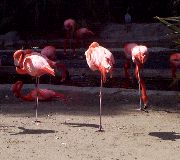
If overflow is set to visible and an image wider and higher than the width and height
set for the element is placed inside the element, the element will stretch horizonally and vertically
to show the entire image.
If overflow is set to hidden and an image wider and higher than the width and height
set for the element is placed inside the element, the part of the image outside the set width and
height of the element will not be visible.
| 

 About BTH
 User Agreement
 Privacy
 Site Map
 Contact
 News Feeds


 RSS Feed
 Follow @Stephen Bucaro
 General Web Design

