
Laptops let you do more on the move, offering greater choice and flexibility than ever before. But a laptop only keeps you mobile while the battery is charged. Everyone who buys a notebook wants to know how long its battery will last.
The brief answer - it depends! Battery Life is highly variable, depending on how you use your laptop. Batteries for laptops come in three main types: nickel cadmium (NiCad), nickel metal hydride (NiMH), and lithium ion. You can recharge each of these batteries with an AC adaptor over and over and over. In most cases, it will give you between one and two hours of computer use, depending on a number of factors.
Battery Use Factors
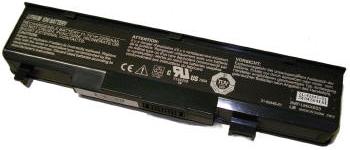
There are a number of factors that contribute to or determine the usable battery charge time for your laptop.
• Display brightness.
• USB Devices drawing power (such as iPODs).
• Use of hard drive.
• Use of optical (CD/DVD) drive.
• Battery charge state (was it fully charged).
• Battery age - batteries have a finite life span.
• Network use.
• Memory upgrades - more memory means more power use.
Battery Extension Tips
Following are tips to help you get the longest battery life possible.
1. Keep Your Screen as Dim as Possible - LCD screens are one of the biggest battery drainers. Adjust your setting so you have enough brightness for comfortable computing. During an overnight flight, for example, you can dim your brightness yet still see clearly. Most notebooks have simple applications you can use to control LCD brightness; consult your user's manual.
2. Use Power Wisely - Turn off or disconnect unused devices; each of them drains power. Most notebooks have power-management options. When you're not using your laptop, you should have it on sleep mode (assuming you really need it on), or your notebook's equivalent. This mode keeps enough power running to maintain minimal function, so you can resume full power with very little delay when you're ready to return to your work or play. But if you don't need it on at all, shut it down.
3. Cut Down on Hard Drive Activity - You can cut down on how hard your hard drive must work by defragmenting it regularly. This can be done automatically at selected regular intervals once you've located the Disk Defagmenter in the Start/Programs/Accessories/System Tools menu and follow the prompts. Also adjust your power settings so that the drive sleeps when not needed.
4. Minimize Optical Drive Use - if you are on the road, a portable CD/DVD players will have a vastly longer battery life, than using your laptop as a CD or DVD player. If there are files or programs that you use from your CD/DVD drive, copy them onto the hard drive.
5. Disable Startup Items - Every time you boot up (in Windows), startup items load into memory, causing additional CPU's power load. You can easily disable startup options simply by clicking Start then the Run feature, then entering C:\MSCONFIG (and pres Enter) and following the prompts.
6. Keep Your Battery Fit! - Yes, you can actually condition your battery. When you buy your laptop, charge the battery to its full capacity, then discharge it completely. Next, fully charge it again. This way your battery actually learns how much electrical charge it can hold. Always make sure when you charge your battery fully.
7. Clean Battery Contacts - Remove your battery and clean its metal contacts with alcohol (ideally do this every two months), allowing it to dry thoroughly before replacing it. This makes sure the power transfer between the laptop and its battery is as efficient as possible.
8. Use The Airliner Power Port - many of today's airliners offer special power ports that you can use to power your laptop. You will need a special power adaptor to connect your notebook computer, but they are worth having and using. Also, take advantage of airport waiting time to plug in and get as much charge as you can!

More Maintain and Upgrade Your PC Articles:
• A Simple Guide To Installing Laptop Memory
• Turn Off Windows XP Service Pack 2 Firewall
• Avoid Cancer by Using USB Wired Keyboard and Mouse
• How to Install a New DVD Drive
• Guide to Getting the Most from Laptop Batteries
• Configure Windows Defender on Windows 10
• How to Create an Emergency Repair Disk
• Printer Cartridge Price Fixing
• What's the Difference Between DDR1 DDR2 and DDR3?
• Tuning-up Windows XP Computer