A Guide To Building Your Own PC
What do you need to build your own custom computer? Believe it or not, it's not as
complicated as it seems. There are ten basic steps to building the perfect PC:
1. Choose Your Processor First
2. Then Choose The Motherboard
3. Then Choose The Case & Power Supply
4. Then Choose Your Components
5. Prepare Your Workspace
6. Then Assemble Your Computer
7. Power On and Test
8. Install The Operating System
9. Install Updated Drivers
10. Install Application Software
Choose the Processor Before the Motherboard
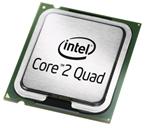
The processor you choose usually determines which motherboard you select: Motherboards
are designed to work with specific CPUs, indicated by the type of socket that the
processor fits into. For example: Socket A, Socket 939, and Socket 940 are designed to
work with Athlon processors, while Socket 478 and the new LGA socket 775 are for Intel CPUs.
Many resellers offer bundles consisting of a processor, a motherboard, and memory;
these can be a good way to save some money, and make the selection and compatibility
process vastly easier.
Get the best processor and motherboard you can afford!
The system chip set (the chips that pass data between the peripherals and the CPU) is
the other component that differs among motherboards; it determines which integrated
components (graphics, sound, Ethernet, etc.) will be included. Though integrated graphics
aren't generally as good as dedicated cards, they're usually adequate for simple office
tasks (home users will probably want separate Video Adaptors for game playing).
The Computer Case (Chassis):
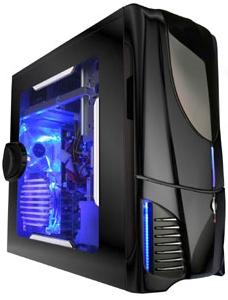 The variety of computer cases is staggering, with hundreds of styles, shapes and sizes
available. We recommend that you look closely at the features. Some gorgeous PC cases
are nightmares to work with, or are cheaply built.
The variety of computer cases is staggering, with hundreds of styles, shapes and sizes
available. We recommend that you look closely at the features. Some gorgeous PC cases
are nightmares to work with, or are cheaply built.
Get the best case you can afford!
We recommend you ask for "tool-less" case design, which enables you to click > open,
click > closed. Most cases and motherboards use the ATX form factor, standardizing the
sizes of the components and all of the power connections. Speaking of power:
Choosing Your Computer Case
The right Computer Case can make working with your system a dream, but picking the
wrong one will come back to haunt you. Though you can find a case plus power supply for
less than $50, it is recommended that you invest a bit more to obtain a case that will
last through many upgrades, has a high-quality power supply, and is attractive.
Case Form Factor:
Most cases and motherboards use the ATX form factor (a set of design standards that
specify things such as the size of the motherboard and the connectors on the power supply).
It's critical that your motherboard match the form factor of your case. Be aware of other
standards are available (for example: Shuttle-style cube-shaped systems that come with
their own custom motherboard). Check carefully and note the form factor when buying your case.
Case Construction:
Steel cases weigh more than aluminum ones, they cost less, and they muffle the noise
from components such as hard drives better than aluminum cases do. On the other hand,
aluminum boxes tend to be more stylish, and they are certainly easier to carry around.
| 

 About BTH
 User Agreement
 Privacy
 Site Map
 Contact
 News Feeds


 RSS Feed
 Follow @Stephen Bucaro
 Windows Troubleshooting


