How to Build a Computer
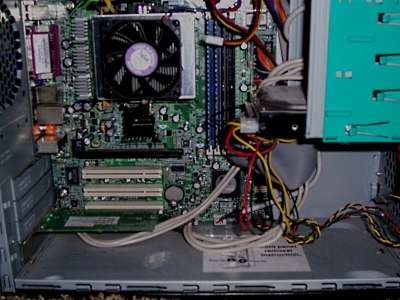
Branded computers can offer both value and performance, the parts used can be
powerful and not very expensive, and you can switch on and start work. Yet
parts are often short-spec in one place or another. Sadly you'll often get
a performance "bottleneck" such as a slow graphics card, only a basic amount
of memory, or a slimline motherboard with too few upgrade slots. Luckily,
computers are surprisingly easy to build. If you can afford the time to plan
and build your own machine, you can design a system more targeted toward your own use.
Steps
1. Outline the benefits you're seeking from building your own computer. Different
configurations suit different purposes:
• Basic System. Nothing special, just some good parts from solid brands.
• Home System. Mainly more RAM and a dual-core processor so
everyone can multi-task.
• A Gamer's Rig. You'll need a killer Radeon or Geforce graphics
card from a well-trusted vendor, a dual-core processor (Dual-cores have been tested
and true to perform better in 3D games than quad-cores), speedy RAM (quality is
better than quantity when it comes to gaming), and if you want load times to be
faster, a good SATA hard drive.
• Music Sound Mixing/Producing. Choose a well-received sound card,
such as from the X-Fi or Audigy series, a decent amount of RAM, and a decent processor.
• Video Editing Suite. Choose a graphics card good enough at
rendering what you need done, and use at least a dual-core processor for
multithreated codecs. A good-sized hard drive will be needed if you do lots of
lossless video editing.
• Server System. Not very much is needed if it's a dedicated
system. An old computer or a basic system with more hard drives will do well.
If your server is going to be performing complex tasks (such as using the PHP
programming language or hosting a game), it will need as strong of a processor
and as much RAM as possible. The speed and type of RAM do not matter.
You will need at least one large hard drive. One TB (terabyte) hard drive would
be a great choice. The speed of the hard drive does not matter much, either. Multiple
drives is a good upgrade, however, for when you are hosting multiple large-scale
sites, for one hard drive can be spinning when the other isn't. And faster the
NIC (network interface card), the better, although it will not make too much
of a difference.
| 

 About BTH
 User Agreement
 Privacy
 Site Map
 Contact
 News Feeds


 RSS Feed
 Follow @Stephen Bucaro
 Windows Troubleshooting


